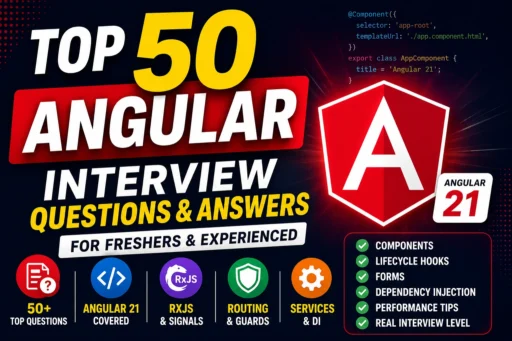
Angular remains one of the most popular frontend frameworks used by enterprise companies worldwide. Whether you’re preparing for your first frontend job or aiming for a senior Angular developer position, interviewers often test your understanding of Angular fundamentals, components, dependency injection, routing, RxJS, Signals, lifecycle hooks, and performance optimization.
In this guide, you’ll find 50 frequently asked Angular interview questions with detailed answers to help you crack your next technical interview.
1. What is Angular?
Angular is an open-source frontend framework developed by Google for building dynamic, scalable, and single-page web applications (SPAs).
It is built using TypeScript and provides features like:
- Components
- Routing
- Dependency Injection
- Reactive Forms
- Signals
- RxJS
- HTTP Client
- Server-Side Rendering (SSR)
2. What are the main features of Angular?
Some of Angular’s most important features include:
- Component-Based Architecture
- TypeScript Support
- Dependency Injection
- Routing
- Lazy Loading
- Reactive Forms
- Signals
- RxJS
- Standalone Components
- Angular CLI
3. What is a Component?
A Component is the basic building block of every Angular application.
It controls a section of the user interface.
Example:
@Component({
  selector: 'app-home',
  templateUrl: './home.component.html'
})

export class HomeComponent {

}
4. What is a Module?
A Module groups related Angular components, directives, services, and pipes.
Although modern Angular supports Standalone Components, NgModules are still used in many existing projects.
5. What is TypeScript and why does Angular use it?
TypeScript is a superset of JavaScript that adds:
- Static Typing
- Interfaces
- Classes
- Generics
- Better IDE Support
Angular uses TypeScript because it improves code quality and maintainability.
6. What is Data Binding?
Data Binding synchronizes data between the component and the template.
Angular supports four types:
- Interpolation
- Property Binding
- Event Binding
- Two-way Binding
7. What is Interpolation?
Interpolation displays component data inside HTML.
Example
<h2>{{ username }}</h2>8. What is Property Binding?
Property Binding binds values to HTML element properties.
<img [src]="imageUrl">9. What is Event Binding?
Event Binding listens for user events.
<button (click)="save()">
Save
</button>
10. What is Two-Way Data Binding?
It combines Property Binding and Event Binding.
Example
<input [(ngModel)]="username">The component and UI remain synchronized automatically.
11. What is Dependency Injection (DI)?
Dependency Injection is a design pattern in Angular that allows one class to receive dependencies from another class instead of creating them manually.
Example
import { Injectable } from '@angular/core';

@Injectable({
  providedIn: 'root'
})
export class UserService {

}
Injecting the service into a component
constructor(private userService: UserService) {

}
Benefits:
- Reusable code
- Better testing
- Loose coupling
- Easier maintenance
12. What is a Service in Angular?
A Service is a class used to share business logic, API calls, or common functionality between components.
Example
@Injectable({
  providedIn: 'root'
})
export class ProductService {

  getProducts() {
    return [];
  }

}
13. What are Lifecycle Hooks?
Lifecycle Hooks allow developers to execute code at different stages of a component’s lifecycle.
Common hooks include:
- ngOnInit()
- ngOnChanges()
- ngDoCheck()
- ngAfterViewInit()
- ngAfterContentInit()
- ngOnDestroy()
14. What is ngOnInit()?
ngOnInit() runs once after Angular initializes the component.
Example
import { OnInit } from '@angular/core';

export class HomeComponent implements OnInit {

  ngOnInit() {
    console.log("Component Loaded");
  }

}
It’s commonly used for:
- Calling APIs
- Loading data
- Initializing variables
15. What is ngOnDestroy()?
ngOnDestroy() executes just before a component is destroyed.
Example
import { OnDestroy } from '@angular/core';

export class HomeComponent implements OnDestroy {

  ngOnDestroy() {
    console.log("Component Destroyed");
  }

}
It is mainly used for:
- Unsubscribing Observables
- Clearing timers
- Removing event listeners
16. What is Routing in Angular?
Routing allows users to navigate between different pages without reloading the application.
Example
const routes: Routes = [

{
  path: '',
  component: HomeComponent
},

{
  path: 'about',
  component: AboutComponent
}

];
17. What is Lazy Loading?
Lazy Loading loads modules only when they are needed.
Example
{
  path: 'admin',
  loadChildren: () =>
    import('./admin/admin.routes')
      .then(m => m.routes)
}
Benefits:
- Faster application startup
- Smaller initial bundle
- Better performance
18. What are Standalone Components?
Standalone Components allow components to work without NgModules.
Example
@Component({

selector: 'app-home',

standalone: true,

imports: [CommonModule],

templateUrl: './home.component.html'

})

export class HomeComponent {

}
Introduced in Angular 14 and now recommended in Angular 21.
19. What are Signals?
Signals are Angular’s new reactive state management feature.
Example
import { signal } from '@angular/core';

count = signal(0);

increment() {

this.count.update(value => value + 1);

}
Template
<h2>{{ count() }}</h2>Advantages:
- Faster change detection
- Less boilerplate
- No manual subscriptions
- Better performance
20. Difference Between Signals and RxJS
| Signals | RxJS |
|---|---|
| State management | Async programming |
| Simpler syntax | More powerful |
| No subscriptions | Requires subscriptions |
| Better for UI state | Better for HTTP and streams |
| Built into Angular | External library |
21. What is RxJS?
RxJS (Reactive Extensions for JavaScript) is a library used in Angular to handle asynchronous operations using Observables.
It is commonly used for:
- HTTP Requests
- Event Handling
- Real-time Data
- WebSockets
- State Management
Example
this.http.get('/api/users')
.subscribe(data => {
  console.log(data);
});
22. What is an Observable?
An Observable is a stream of data that can emit multiple values over time.
Example
import { Observable } from 'rxjs';

const observable = new Observable(observer => {

  observer.next("Angular");

  observer.complete();

});
To receive data, you subscribe to it.
observable.subscribe(value => {

console.log(value);

});
23. Difference Between Observable and Promise
| Observable | Promise |
|---|---|
| Multiple values | Single value |
| Lazy execution | Executes immediately |
| Can be cancelled | Cannot be cancelled |
| RxJS operators available | No operators |
| Used heavily in Angular | Used in JavaScript |
Observables are preferred in Angular applications.
24. What is the Async Pipe?
The Async Pipe automatically subscribes and unsubscribes from an Observable.
Example
<div>{{ users$ | async }}</div>Benefits:
- No manual subscribe()
- Prevents memory leaks
- Cleaner templates
25. What is Change Detection?
Change Detection is Angular’s mechanism for updating the UI whenever component data changes.
Whenever a property changes, Angular checks the template and updates the DOM automatically.
26. What is OnPush Change Detection?
OnPush is a change detection strategy that improves performance.
Example
import {

ChangeDetectionStrategy

} from '@angular/core';

@Component({

changeDetection:
ChangeDetectionStrategy.OnPush

})

export class HomeComponent {

}
Benefits:
- Faster rendering
- Better performance
- Fewer unnecessary checks
27. What are Directives?
Directives allow you to add behavior to HTML elements.
Angular has three types:
- Component Directives
- Structural Directives
- Attribute Directives
28. What are Structural Directives?
Structural Directives change the structure of the DOM.
Common examples:
- *ngIf
- *ngFor
- *ngSwitch
Example
<div *ngIf="isLoggedIn">

Welcome User

</div>
29. What are Attribute Directives?
Attribute Directives modify the appearance or behavior of an existing element.
Example
<p [ngClass]="{

'active': isActive

}">

Angular

</p>
Another example
<p [ngStyle]="{

color:'blue'

}">

Hello

</p>
30. Difference Between *ngIf and [hidden]
| *ngIf | [hidden] |
|---|---|
| Removes element from DOM | Keeps element in DOM |
| Better for performance | Only hides element |
| Recreates element | Element always exists |
Example
<div *ngIf="showData">

Content

</div>
<div [hidden]="!showData">
Content
</div>31. What is *ngFor?
*ngFor is used to loop through arrays.
Example
<li *ngFor="let user of users">

{{ user.name }}

</li>
32. What is TrackBy in *ngFor?
TrackBy helps Angular identify list items efficiently.
Example
trackById(index:number,user:any){

return user.id;

}
<li *ngFor="
let user of users;
trackBy: trackById
">
{{user.name}}
</li>Benefits:
- Faster rendering
- Better performance
- Fewer DOM updates
33. What are Pipes?
Pipes transform data before displaying it.
Built-in pipes include:
- DatePipe
- CurrencyPipe
- UpperCasePipe
- LowerCasePipe
- PercentPipe
- JsonPipe
Example
{{ today | date }}

{{ price | currency }}

{{ username | uppercase }}
34. What is a Custom Pipe?
A Custom Pipe allows developers to create their own data transformations.
Example
@Pipe({

name:'reverse'

})

export class ReversePipe
implements PipeTransform{

transform(value:string){

return value
.split('')
.reverse()
.join('');

}

}
Usage
{{ "Angular" | reverse }}Output
ralugnA35. What are Reactive Forms?
Reactive Forms are model-driven forms that provide better scalability and validation.
Example
loginForm = new FormGroup({

email:new FormControl(''),

password:new FormControl('')

});
36. What is Template-Driven Form?
Template-Driven Forms are forms managed mainly in the HTML template using the ngModel directive.
Example
<form #loginForm="ngForm">

<input
name="email"
ngModel>

<input
name="password"
ngModel>

</form>
They are easy to implement and are suitable for simple forms.
37. Difference Between Reactive Forms and Template-Driven Forms
| Reactive Forms | Template-Driven Forms |
|---|---|
| Model-driven | Template-driven |
| Better for large forms | Better for simple forms |
| More scalable | Easier to learn |
| Better validation | Basic validation |
| More testable | Less testable |
Reactive Forms are recommended for enterprise applications.
38. What is Angular CLI?
Angular CLI (Command Line Interface) is a tool that helps developers create, build, test, and deploy Angular applications.
Common commands
Create a project
ng new my-appRun the application
ng serveGenerate a component
ng generate component homeBuild the application
ng build39. What is Ahead-of-Time (AOT) Compilation?
AOT compilation converts Angular templates into JavaScript during the build process instead of at runtime.
Advantages:
- Faster application startup
- Smaller bundle size
- Better security
- Earlier error detection
Angular uses AOT by default for production builds.
40. What is Just-in-Time (JIT) Compilation?
JIT compiles the application in the browser at runtime.
Advantages:
- Faster development
- Better debugging
Disadvantages:
- Larger bundle size
- Slower initial loading
JIT is commonly used during development.
41. Difference Between AOT and JIT
| AOT | JIT |
|---|---|
| Compiles during build | Compiles in browser |
| Faster startup | Slower startup |
| Smaller bundles | Larger bundles |
| Better security | Less secure |
| Used in production | Used during development |
42. What is ViewChild?
@ViewChild allows a component to access a child component or DOM element.
Example
import {

Component,
ViewChild,
ElementRef

} from '@angular/core';

@Component({
selector:'app-home',
template:`
<input #username>
`
})

export class HomeComponent{

@ViewChild('username')

input!: ElementRef;

ngAfterViewInit(){

this.input.nativeElement.focus();

}

}
43. What is Content Projection?
Content Projection allows one component to display content passed from its parent using <ng-content>.
Child Component
<div class="card">

<ng-content></ng-content>

</div>
Parent Component
<app-card>

<h2>Angular Interview</h2>

<p>Top Questions</p>

</app-card>
This is similar to React’s children prop.
44. What is an Angular Guard?
Guards protect routes from unauthorized access.
Types of Guards:
- CanActivate
- CanDeactivate
- CanLoad
- CanMatch
- Resolve
Example
{

path:'dashboard',

canActivate:[AuthGuard]

}
45. What is CanActivate Guard?
CanActivate determines whether a user can access a route.
Example
@Injectable({

providedIn:'root'

})

export class AuthGuard
implements CanActivate{

canActivate(){

return true;

}

}
It is commonly used for authentication and authorization.
46. What is an HTTP Interceptor?
HTTP Interceptors allow developers to modify HTTP requests and responses globally.
Common use cases:
- Adding JWT tokens
- Logging requests
- Error handling
- Showing loaders
Example
intercept(req,next){

const clonedReq = req.clone({

setHeaders:{

Authorization:'Bearer Token'

}

});

return next.handle(clonedReq);

}
47. What is Route Lazy Loading?
Lazy Loading loads feature modules only when users visit that route.
Example
{

path:'admin',

loadChildren:()=>

import('./admin/admin.routes')

.then(m=>m.routes)

}
Benefits:
- Faster loading
- Better scalability
- Reduced initial bundle size
48. What is Server-Side Rendering (SSR)?
SSR renders Angular pages on the server before sending them to the browser.
Advantages:
- Faster first page load
- Better SEO
- Improved Core Web Vitals
- Better user experience
Angular now supports SSR through Angular SSR.
49. How Can You Improve Angular Performance?
Common optimization techniques include:
- Use Standalone Components
- Enable OnPush Change Detection
- Implement Lazy Loading
- Use TrackBy with *ngFor
- Minimize unnecessary subscriptions
- Use Signals for local state
- Optimize images
- Enable production builds
- Split large modules
- Avoid excessive DOM manipulation
50. Why Should You Learn Angular in 2026?
Angular continues to be one of the most powerful frontend frameworks for enterprise development. With modern features like Signals, Standalone Components, improved Server-Side Rendering (SSR), and ongoing support from Google, Angular remains a top choice for building scalable web applications.
Learning Angular opens opportunities in industries such as finance, healthcare, e-commerce, and large enterprise software. If you master Angular fundamentals, TypeScript, RxJS, routing, dependency injection, and performance optimization, you’ll be well-prepared for frontend developer interviews and real-world projects.