
What Exactly Are React Fragments?
React Fragments are a specialized feature in React that allow you to group a list of children without adding extra nodes to the DOM. Think of it as an invisible container; it holds your elements together during the reconciliation process but disappears once the HTML is rendered in the browser.
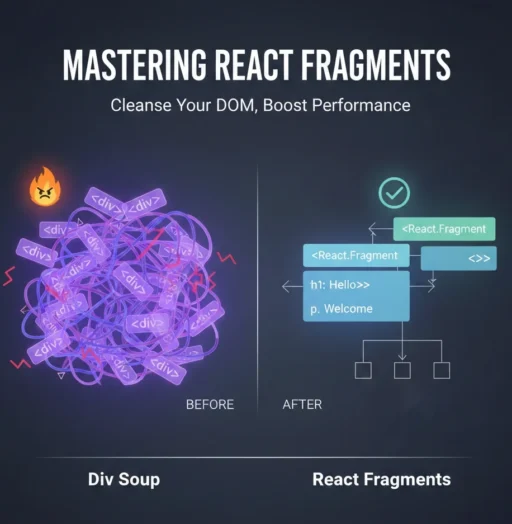
The Problem: “Div Soup”
Before Fragments, we did this:
JavaScript
function TableData() {
  return (
    <div>
      <td>Column 1</td>
      <td>Column 2</td>
    </div>
  );
}
The result: The browser renders <div><td>...</td></div>. This is actually invalid HTML because a <td> must be a direct child of a <tr>. A wrapper <div> breaks the table layout.
1. The Two Ways to Use Fragments
Method A: The Standard Syntax
Using <React.Fragment> is the explicit way to define a fragment. This is necessary if you need to pass props (like a key) to the fragment.
JavaScript
import React from 'react';

function BlogList({ posts }) {
  return (
    <dl>
      {posts.map(post => (
        <React.Fragment key={post.id}>
          <dt>{post.title}</dt>
          <dd>{post.description}</dd>
        </React.Fragment>
      ))}
    </dl>
  );
}
Method B: The Shorthand Syntax
The shorthand <>...</> is much cleaner and is the most common way to use Fragments today. It looks like empty HTML tags.
JavaScript
function Header() {
  return (
    <>
      <h1>Welcome to My Blog</h1>
      <nav>Home | About | Contact</nav>
    </>
  );
}
Note: The shorthand does not support attributes or keys.
2. Why Should You Use Fragments? (The Benefits)
Improved Performance
While a few extra div tags won’t crash your site, a massive application with thousands of unnecessary nested nodes consumes more memory. Fragments keep the DOM tree “shallow,” which makes the browser’s job of painting the UI faster and more efficient.
CSS and Layout Integrity
Modern CSS layouts like Flexbox and Grid have a parent-child relationship. If you wrap a component’s output in a div, that div becomes the “flex-item,” which often breaks the intended alignment of the inner elements. Fragments ensure your components don’t interfere with your styling.
Semantic HTML
Accessibility and SEO rely on clean HTML. By removing wrapper divs, you ensure that your HTML structure remains semantic (e.g., keeping list items inside lists and table cells inside rows).
3. When to Use Fragments vs. Divs
It is a common mistake to think we should never use div again. Here is how to decide:
| Use a Fragment When… | Use a Div When… |
| You just need to satisfy React’s “one element” rule. | You need to apply a CSS class for styling (padding, margins). |
| You are returning items for a Table, List, or Flexbox. | You need to attach an onClick or other event listener. |
| You want to optimize DOM performance. | You need to use a ref for DOM manipulation. |
4. Key Limitations to Remember
- No Styling: You cannot apply a
className,style, oridto a Fragment. If you need a background color or padding around your group of elements, you must use adivorsection. - Keys in Loops: As mentioned, if you are mapping through an array and returning multiple elements per iteration, you must use the full
<React.Fragment>syntax to provide akeyattribute. The shorthand<>will throw a syntax error if you try to give it a key.
Conclusion
React Fragments are a simple yet powerful tool for any developer’s toolkit. By replacing unnecessary wrapper elements with Fragments, you produce cleaner HTML, faster performance, and more predictable CSS layouts.
Whether you use the explicit <React.Fragment> or the sleek <> shorthand, your DOM (and your fellow developers) will thank you.