
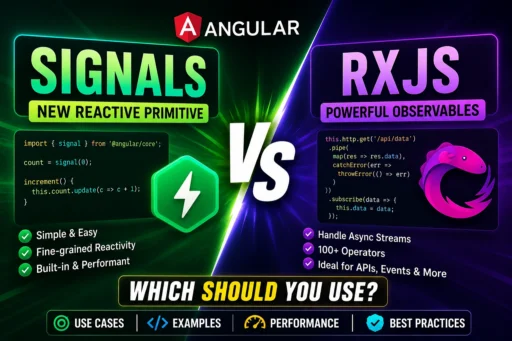
Angular has evolved significantly over the last few years, and one of the biggest additions is Signals. Since their introduction, developers have been asking a common question:
Should I replace RxJS with Angular Signals?
The short answer is No.
Signals and RxJS solve different problems. Understanding when to use each can make your Angular applications simpler, faster, and easier to maintain.
In this guide, we’ll compare Angular Signals and RxJS with practical examples, performance insights, and best practices to help you choose the right tool for your project.
What Are Angular Signals?
Angular Signals are a reactive state management primitive introduced to simplify state updates and improve rendering performance.
A Signal stores a value and automatically updates any component or computation that depends on it.
Example:
import { signal } from '@angular/core';

count = signal(0);

increment() {
  this.count.update(value => value + 1);
}
Whenever the signal changes, Angular automatically updates the UI.
What Is RxJS?
RxJS (Reactive Extensions for JavaScript) is a library for working with asynchronous data streams.
It’s commonly used for:
- HTTP Requests
- WebSockets
- User Events
- Timers
- Search Suggestions
- Real-time Applications
Example:
this.http.get('/api/users')
.subscribe(users => {
    this.users = users;
});
RxJS has been a core part of Angular for many years and remains essential for handling asynchronous operations.
Angular Signals vs RxJS
| Feature | Angular Signals | RxJS |
|---|---|---|
| Local State | ✅ Excellent | Possible |
| HTTP Requests | ❌ Not Recommended | ✅ Best Choice |
| Async Data | Limited | Excellent |
| State Updates | Very Simple | Moderate |
| Learning Curve | Easy | Steep |
| Performance | Excellent | Excellent |
| Operators | No | 100+ |
| Streams | No | Yes |
When Should You Use Angular Signals?
Signals are ideal for local component state.
Examples include:
- Counter values
- Theme switching
- Sidebar open/close state
- Selected tabs
- Form visibility
- Loading indicators
- Shopping cart count
- UI preferences
Example:
isDarkMode = signal(false);

toggleTheme() {
    this.isDarkMode.update(v => !v);
}
Simple, readable, and no subscriptions are required.
When Should You Use RxJS?
RxJS is the better choice whenever you’re working with asynchronous data.
Examples include:
- REST APIs
- Authentication
- WebSockets
- Search with debounce
- Polling
- Timers
- Combining multiple API responses
- Event streams
Example:
this.searchControl.valueChanges
.pipe(
    debounceTime(300),
    distinctUntilChanged(),
    switchMap(keyword =>
        this.productService.search(keyword)
    )
)
.subscribe();
Signals cannot replace this functionality.
Can You Use Both Together?
Absolutely.
In fact, Angular recommends using Signals and RxJS together, depending on the use case.
A common pattern is:
- RxJS fetches data from APIs.
- Signals store the received data.
- Components react automatically when signals change.
Example:
users = signal<User[]>([]);

this.userService.getUsers()
.subscribe(users => {
    this.users.set(users);
});
This approach combines the strengths of both tools.
Performance Comparison
Signals update only the parts of the UI that depend on them, reducing unnecessary change detection.
Benefits include:
- Faster rendering
- Fewer DOM updates
- Better scalability
- Cleaner code
- Improved readability
RxJS also performs well but may require additional operators and subscription management for similar scenarios.
Code Comparison
Using Signals
count = signal(0);

increment() {
    this.count.update(v => v + 1);
}
Using RxJS
count$ = new BehaviorSubject(0);

increment() {
    this.count$.next(
        this.count$.value + 1
    );
}
Signals require less boilerplate, making them easier to understand for simple state management.
Advantages of Angular Signals
- Easy to learn
- Less code
- Better readability
- Fine-grained reactivity
- No manual subscriptions
- Excellent performance
- Built into Angular
Advantages of RxJS
- Powerful asynchronous programming
- Hundreds of operators
- Stream manipulation
- WebSocket support
- Event handling
- Retry mechanisms
- Error handling
- Complex data transformations
Common Mistakes
❌ Replacing every Observable with Signals
Signals are not designed to replace asynchronous streams.
❌ Using Signals for HTTP requests
HTTP requests naturally return Observables and should continue using RxJS.
❌ Ignoring RxJS completely
RxJS remains an essential part of Angular development.
❌ Overusing Effects
Effects should be used sparingly. Prefer computed signals whenever possible.
Best Practices
- Use Signals for local UI state.
- Use RxJS for asynchronous operations.
- Convert Observables to Signals only when appropriate.
- Keep components simple and reactive.
- Avoid unnecessary subscriptions.
- Organize state logically.
- Write reusable services.
Which One Should You Learn First?
If you’re new to Angular:
- Learn Components
- Learn Signals
- Learn Services
- Learn RxJS
- Learn State Management
This order makes Angular much easier to understand.
Frequently Asked Questions
Are Angular Signals replacing RxJS?
No. Signals and RxJS serve different purposes. Signals manage local reactive state, while RxJS handles asynchronous streams and events.
Are Signals faster than RxJS?
For local state updates, Signals often result in simpler code and more targeted UI updates. For asynchronous workflows, RxJS remains the appropriate choice.
Should I migrate my existing RxJS code?
Not necessarily. If your current implementation works well, there’s no need to rewrite it. Consider using Signals for new UI state where they simplify your code.
Can Signals and RxJS work together?
Yes. Many modern Angular applications use RxJS for data fetching and Signals for managing component state.