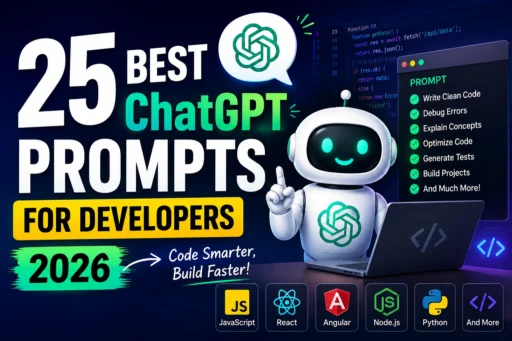
25 Best ChatGPT Prompts for Developers (2026)
Artificial Intelligence has completely changed the way software developers write code, debug applications, learn new technologies, and improve productivity. In 2026, ChatGPT has become one of the most valuable tools for programmers, helping them complete tasks in minutes that previously took hours.
However, the quality of the output depends heavily on the prompt you provide. A well-written prompt produces better code, clearer explanations, and more accurate solutions.
In this guide, you’ll discover 25 powerful ChatGPT prompts for developers that can help you become more productive, write cleaner code, and solve problems faster.
Why Developers Should Use ChatGPT
ChatGPT is more than just a coding assistant. It can help you:
- Generate production-ready code
- Debug complex errors
- Explain difficult concepts
- Improve code readability
- Optimize performance
- Write documentation
- Create unit tests
- Learn new programming languages
- Prepare for technical interviews
Whether you’re a beginner or an experienced software engineer, using effective prompts can significantly reduce development time.
1. Generate Clean Code
Prompt
Write clean and production-ready [language] code for [problem]. Follow best practices, include comments where necessary, handle edge cases, and explain the implementation.Example
Write clean Angular code for a reusable pagination component.2. Debug an Error
Prompt
Analyze this error message, identify the root cause, explain why it occurs, and provide multiple possible solutions.

Error:

[paste error here]
3. Optimize Existing Code
Optimize the following code for better performance and readability without changing functionality.

[paste code]
4. Explain Complex Code
Explain this code line by line as if you were teaching a beginner developer.

[paste code]
5. Convert Code Between Languages
Convert this Python code into TypeScript while following best practices.

[paste code]
6. Generate Unit Tests
Write comprehensive unit tests for the following function. Include edge cases and negative test cases.

[paste function]
7. Review My Code
Review my code like a senior software engineer. Identify bugs, security issues, performance improvements, and coding standard violations.

[paste code]
8. Create API Documentation
Generate professional API documentation for the following REST API.

[paste API]
9. Generate SQL Queries
Write an optimized SQL query to retrieve [requirement]. Explain the query and suggest indexing improvements.10. Learn Any Technology
Teach me [technology] from beginner to advanced with practical examples and mini projects.Example:
Teach me Angular Signals.11. Improve Code Readability
Refactor this code to make it more readable and maintainable.

[paste code]
12. Create Interview Questions
Generate 30 interview questions with answers for an experienced Angular developer.13. Explain an Algorithm
Explain how the Merge Sort algorithm works using diagrams and real-world examples.14. Find Security Vulnerabilities
Review the following code for security vulnerabilities such as SQL injection, XSS, CSRF, authentication issues, and insecure data handling.

[paste code]
15. Build a Project
Create a complete project using React, Node.js, Express, and MongoDB with authentication and deployment instructions.16. Generate Regular Expressions
Write a regex to validate email addresses and explain each part of the expression.17. Explain Design Patterns
Explain the Singleton Design Pattern with practical examples in Java.18. Improve Performance
Analyze this code and identify all possible performance bottlenecks.

[paste code]
19. Generate Documentation
Generate professional README.md documentation for this GitHub project.

[paste project structure]
20. Build a Learning Roadmap
Create a 90-day roadmap to become a Full Stack Developer in 2026.21. Explain Git Commands
Explain Git Rebase, Merge, Cherry Pick, Reset, and Revert with examples.22. Generate Mock Interview
Conduct a mock software engineering interview and ask questions one by one.23. Improve Resume
Improve my software engineer resume to increase interview calls from top tech companies.

[paste resume]
24. Fix Build Errors
Help me fix this build error. Explain every step instead of only giving the solution.

[paste error]
25. Become My Coding Mentor
Act as a senior software engineer mentoring me. Review my progress, suggest improvements, recommend learning resources, and provide coding challenges every day.Tips for Writing Better ChatGPT Prompts
To get the best responses from ChatGPT:
- Be specific about your programming language.
- Mention your framework (Angular, React, Vue, etc.).
- Include the error message when debugging.
- Specify your experience level.
- Ask for explanations along with the solution.
- Request production-ready code instead of simple examples.
- Mention coding standards or style guides if needed.
The more context you provide, the more accurate and useful the response will be.
Frequently Asked Questions
Is ChatGPT good for developers?
Yes. ChatGPT can help developers write code, debug errors, generate documentation, explain programming concepts, create unit tests, optimize performance, and learn new technologies.
Which ChatGPT model is best for coding?
The latest reasoning-focused and coding-capable ChatGPT models generally provide the best results for programming tasks, especially when you provide detailed prompts and sufficient context.
Can ChatGPT replace software developers?
No. ChatGPT is a productivity tool that assists developers with repetitive tasks and problem-solving, but human developers are still needed for architecture, business logic, decision-making, and collaboration.
Are these prompts suitable for beginners?
Absolutely. Beginners can use these prompts to understand programming concepts, practice coding, and receive step-by-step explanations.
Conclusion
ChatGPT has become an essential productivity tool for software developers in 2026. The quality of your results depends on the prompts you use, and these 25 prompts cover the most common development tasks—from writing code and debugging to learning new technologies and preparing for interviews.
Try adapting these prompts to your own projects, add relevant context, and iterate on the responses. With practice, you’ll spend less time on repetitive work and more time building great software.